

When you speak with a seller or a real estate agent, it’s common to hear that “the property has just been listed online” or that “you have to hurry”. Before rushing in, take the time to check how long the property has really been for sale. Here’s how to do it with Market Explorer.
➡️ Step 1: Search for the property
Go to Market Explorer, then search for the relevant property using its address or its characteristics (type, price, location).
➡️ Step 2: Analyze the listed price
Once on the property page, you will see:
- The current price shown online
- Any price reductions already applied
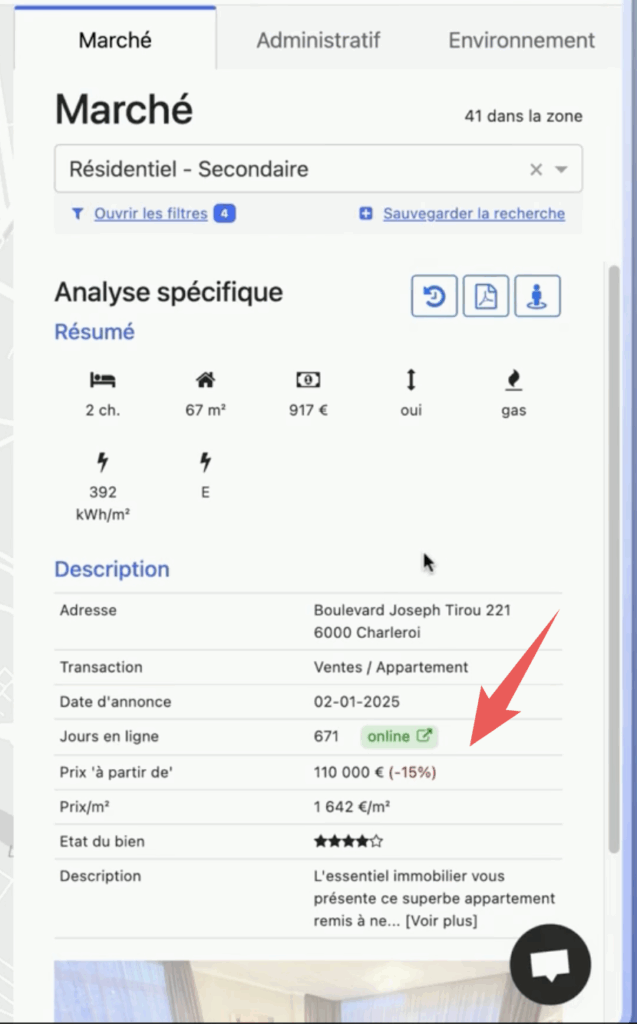
💡 In our example, the property is currently listed at 110,000 euros, with a 15% decrease since the start of marketing.
➡️ Step 3: View the price history
Click the “View price history” button. You will access a detailed history of past listings.
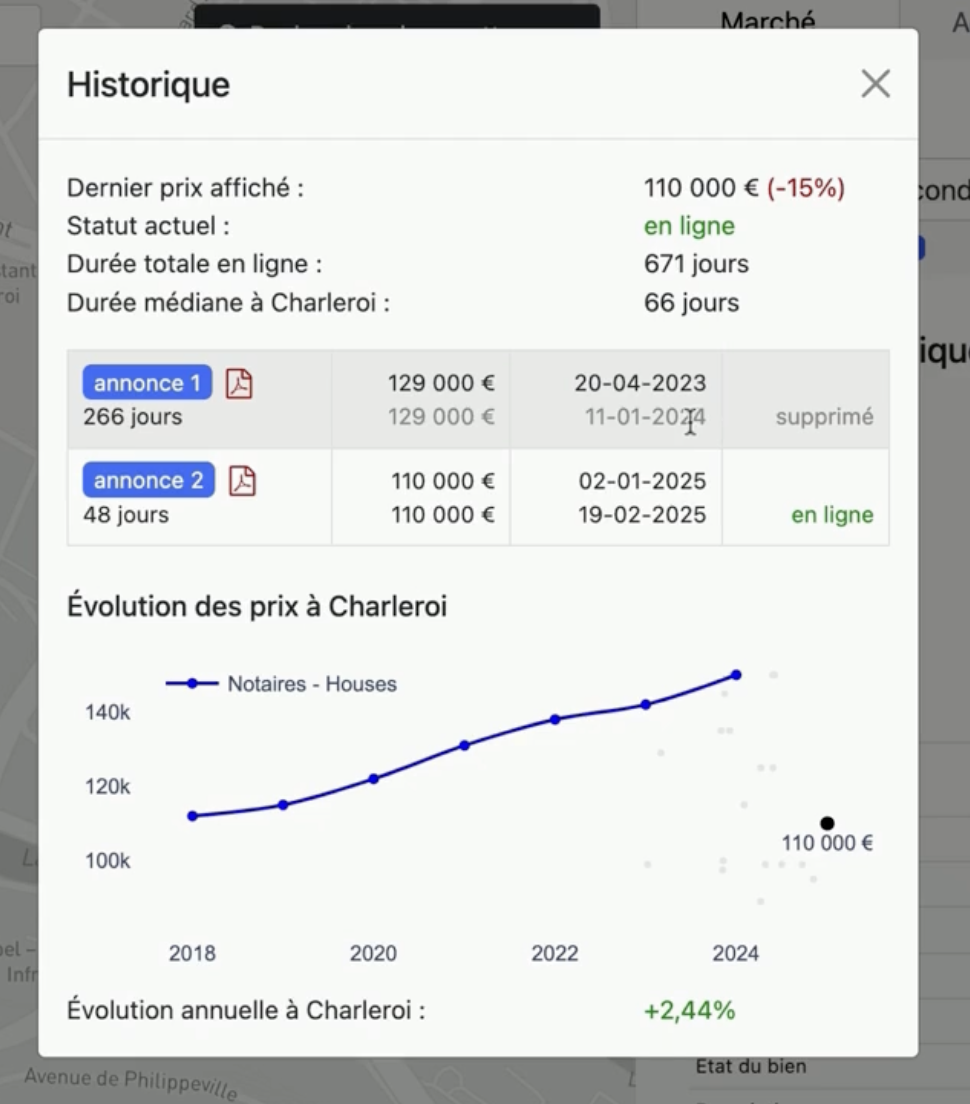
You will see, for example:
- A first listing posted in April 2023 and removed in January 2024
- Then a new listing posted in January 2025, at 110,000 euros, but by another agency
➡️ Step 4: Interpret the information
This timeline is essential:
- It reveals that the property isn’t that “new” to the market
- It shows the change of real estate agency
- It makes it possible to assess the property’s liquidity and previous attempts to sell
🔎 Why is this important?
- As an investor, you avoid falling into the trap of artificial scarcity.
- As a real estate agent, you identify whether the owner has already tried to sell on their own or with other agencies.
- You adjust your negotiation and your profitability analysis based on the actual time the property has been on the market.
✅ Conclusion
Don’t rely only on what you’re told anymore. Use the concrete data and Market Explorer’s history to make informed decisions and gain negotiating power.
💬 Tip: add this reflex to each of your visits or property analyses.